Tiny Eden Guides
From the first seed packet to a rooftop greenhouse — every how-to in one hub.
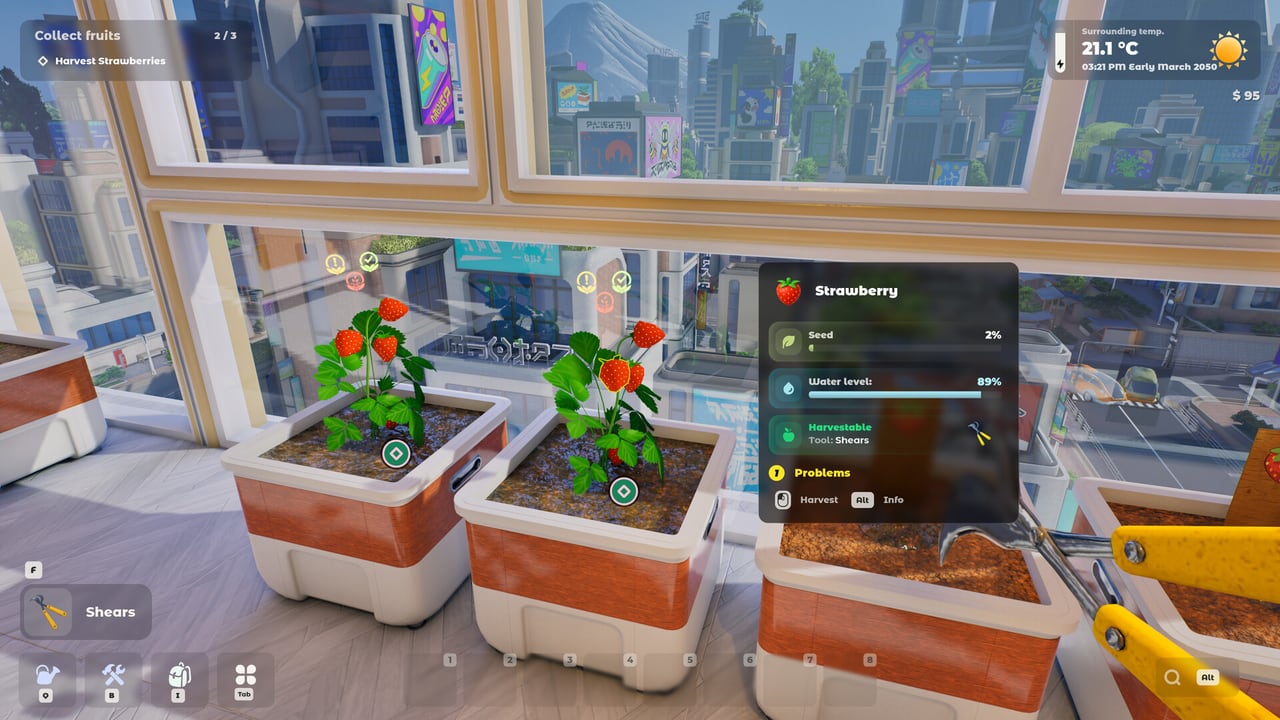
This hub is the map of every Tiny Eden tutorial on the wiki. The game is a first-person indoor farming sim set in a futuristic megacity apartment. Bajka Games and Digital Vortex Entertainment ship the full 1.0 build on Steam for PC on 7 September 2026. It is not Early Access, and it is single-player only.
If you just arrived, start with Getting Started. That page covers the seed packet, the first pots, and how Tiny Eden differs from countryside farm games. Then play the free demo with the demo walkthrough so you do not burn tomatoes on the wrong container size.
What these guides solve
Players search for the same handful of problems: how to play, how to grow, how to cook, how to expand, and whether their PC or Steam Deck will run the game. Each child page answers one of those intents with real systems from the official FAQ and demo, not a recycled Stardew Valley checklist.
- Getting Started — first hour, genre, and what “realistic indoor farming” actually means here.
- Demo guide — what the current demo includes, where it stops, and how to give useful feedback.
- Controls — movement, grabbing, rotating pots, the pot menu, and the plant encyclopedia.
- How to grow plants — soil mixes, NPK, light, heat, transplanting, and companion planting.
- How to cook and sell — recipes, orders, reputation, and why 1.0 sells dishes instead of raw crops.
- How to expand — rooms, balconies, drones, furniture, the cat, and the rooftop greenhouse.
- System requirements — Windows, Linux, Steam Deck, and storage notes from the Steam page.
- Demo preview — what the loop feels like before you spend $14.99.
- Companion planting — tomato with basil, not cabbage, and why roots matter.
- Drones — playtest automation, and what robots will not transplant for you.
- Pot menu fix — the stuck “open the pot menu” quest.
How Tiny Eden’s loop is structured
Most cozy farm games give you a field and a calendar. Tiny Eden gives you an apartment and a pot. Space does not sprawl outward; you unlock rooms and cram more life into the same footprint. Flowers, berries, vegetables, herbs, microgreens, and berry bushes each want a planter size, a soil recipe, and a place with the right light and temperature. Water and weeds are daily chores. Over-fertilising can kill a plant. That is the point of the soil and NPK tool sitting next to these articles.
Harvests go to the kitchen. Neighbours and the trading post pay for cooked food. Money buys better pots, seeds, tools, and eventually drones that fill soil, plant, water, weed, and harvest. Reputation with the building unlocks more of the shop. The plant tier list ranks what is worth growing first so you are not guessing from a 40-species catalogue.
Read this before you plant
Time in Tiny Eden runs at a 60:1 ratio. There is no game-over for wasting a day, but plants still wilt if you ignore water, disease, or pot size. Tomatoes in the demo need a transplant chain (community reports cite 0.5 L → 3 L → 16 L). If seedlings vanish after a few days, check the plant info panel before you assume the demo is capped. Developers have said every available plant and recipe should be reachable in the demo; missing harvests are usually a pot or soil mistake.
Use the pot size chart when a crop asks to move. Pair that with how to grow so companion planting (tomato with basil, not cabbage) is a choice, not trivia.
Launch week, not a live-service grind
Bookmark the release date page for regional unlock times and the $14.99 / Goodies Pack prices. The roadmap covers DLC, free updates, and the promised mushrooms, vines, and trees. Patch history for the demo and older City Garden Harvest builds lives on patch notes. Official Discord, X, TikTok, and Instagram sit on the links hub.
This wiki is unofficial. Always confirm prices, languages, and patch text on Steam. When a mechanic changes at 1.0, we will update the matching guide instead of leaving a demo-era claim on the homepage.
Suggested reading order
If your question is “should I even buy this,” skip to the demo preview and the demo guide. If your question is “will it run,” open system requirements first.
Frequently Asked Questions
Quick answers to the most common Tiny Eden questions.
Which Tiny Eden guide should I open first?
New players should start with Getting Started, then the demo guide. Jump to controls if a quest mentions the pot menu.
Do these guides cover the demo or the full game?
Both. Systems described here come from the official FAQ, Steam page, and demo. Launch-only claims are labelled so they are not mixed with demo limits.
Is Tiny Eden multiplayer?
No. It is a single-player Steam game. There is no co-op mode at launch.