Tiny Eden Controls
First-person movement, pot handling, and the menus players actually get stuck on.
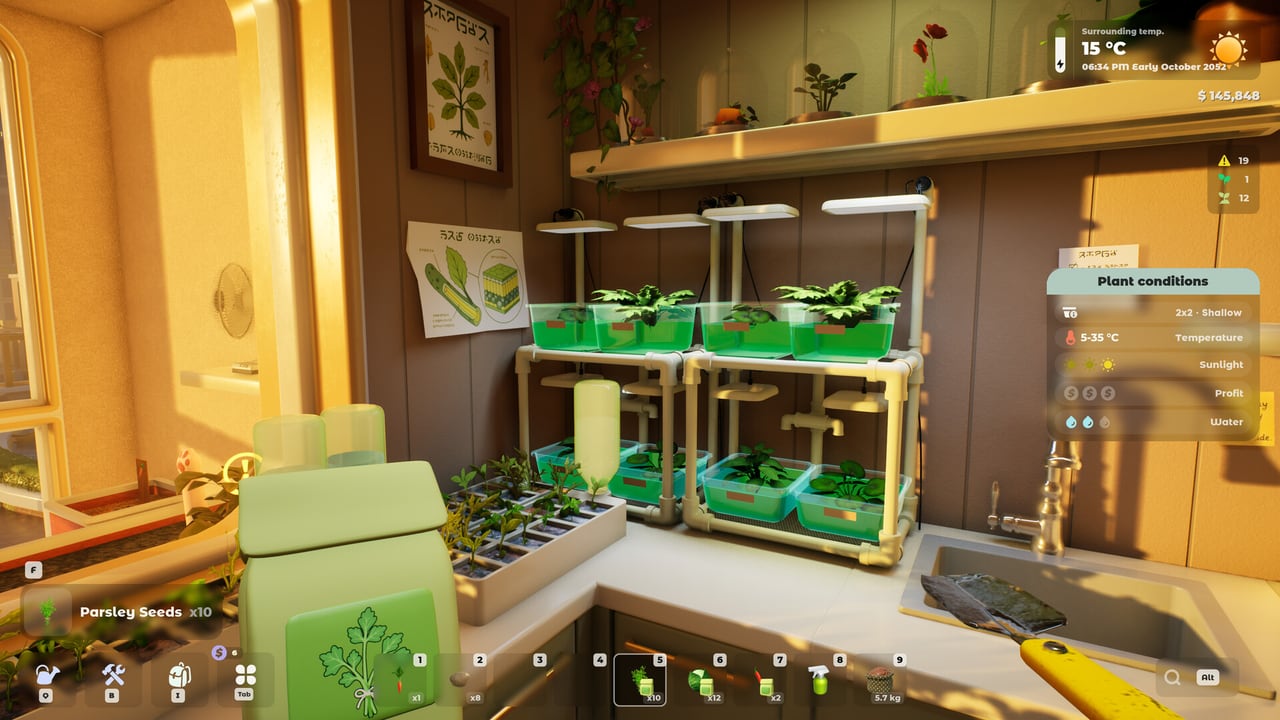
Tiny Eden is a first-person game. That is the first surprise for anyone who arrived from a top-down farm sim. You walk the apartment, crouch to a windowsill, pick up a 16 L pot, and rotate it until the strawberries face the sun. This page collects the bindings that show up in demo tutorials, Steam Next Fest footage, and community threads. Always open Settings in your build — Bajka can remap keys before 7 September 2026.
If you have not planted anything yet, read Getting Started first. If a quest is yelling about soil ratios, jump to how to grow.
Default movement (demo and playtest)
Several public playthroughs show the same core set:
| Action | Typical binding |
|---|---|
| Walk | WASD |
| Look | Mouse |
| Interact / plant / water / confirm | Left mouse button |
| Grab / pick up a placed object | Right mouse button (some builds) |
| Rotate a held pot or furniture | Q and E, or middle mouse in older demos |
| Inventory / encyclopedia tabs | Q (inventory area, then tabs) |
| Notification layer (plant needs water) | Left Alt |
| Jump / climb steps | Space (if enabled) |
| Pause / settings | Esc |
The Steam Next Fest demo explicitly teaches WASD, then Q/E to rotate a strawberry pot onto the sill, then Left Alt to read that the plant is thirsty. If your keybinds differ, copy the table into a note and replace the cells from your Settings screen. Do not assume a gamepad layout; the demo’s Steam Deck note is “not officially supported.”
The pot menu (the quest that traps people)
Steam discussions already have a thread titled along the lines of being stuck on “Open the Pot Menu.” The menu is not a world-space billboard. In demo builds it is tied to looking at a pot you own and using the interact key, or to opening the plant/pot tab from the inventory. If nothing appears:
- Empty your hands. A watering can or seed bag can swallow the interact prompt.
- Look at the rim of the pot, not the plant mesh. Hitboxes sit on the container.
- Open inventory tabs and look for pot / plant info rather than a separate “Pot” key.
- Reload the save. Older patches had pot names display wrong after load.
If the quest still will not complete, use the pot menu fix. Once the menu is open you should see soil composition (for example compost 0.0/6, sand 0.0/4), water, NPK, and transplant hints. That panel is the whole game. The soil NPK tool mirrors those numbers in a static chart so you can plan offline.
Inventory, encyclopedia, and the computer
Community comments on the improved tutorial mention a plant encyclopedia inside the inventory tabs. It is not a lore book; it is the species bible: pot sizes, soil mix, light, and when to move a seedling. Read it before you buy a second tomato. The pot size chart is a wiki-side copy of the same idea.
The apartment PC is a second hub. Later builds route the shop, orders, and mail through it. Parcel boxes outside the door hold non-furniture purchases so crates stop clipping into your kitchen. If a quest says “open the shop app,” sit at the computer, do not wander the hallway looking for a kiosk.
Tools you will actually hold
Playtest notes list a sprayer for plant diseases, a vacuum cleaner, and add-ons for boxes and pots that regulate temperature and light. Watering cans, scissors for harvest, soil bags, and seed packs are the day-one tools. Equip the soil bag, fill to 100 percent if the recipe wants a full pot, then switch to seeds. Left click plants. Do not leave a soil bag on the floor overnight; older bugs despawned it.
Cooking uses the stove as a separate interactable. If left-clicking the front only plays an animation, aim at the side panel to open the recipe UI. How to cook covers the rest.
Accessibility and comfort
Steam lists Camera Comfort, Color Alternatives, custom volume sliders, save-anytime, and playable without timed input / QTEs. That matches the FAQ: there is no fail state for mismanaging the 60:1 clock as long as plants are cared for. If mouse sensitivity feels harsh (a common demo complaint), drop it in settings before you blame the grab system.
Linux and SteamOS builds want Vulkan 1.3 with mesh shaders. If the game does not start, that is a GPU/driver issue, not a missing keybind. See system requirements.
Practice routine
Spend ten minutes in an empty corner: pick up a pot, rotate with Q/E, set it down, fill soil, plant, water, open the pot menu, Alt-check notifications. Then go play the demo. When you start expanding rooms, the same grab/rotate verbs apply to furniture and drone stations on how to expand.
Bindings will be the first thing 1.0 patches change. If a screenshot in a YouTube video disagrees with your Settings page, trust your Settings page.
Frequently Asked Questions
Quick answers to the most common Tiny Eden questions.
How do I open the pot menu in Tiny Eden?
Look at the container, empty your hands, and interact. If that fails, open the plant/pot tab in inventory. A Steam thread already tracks this quest step.
How do I rotate a pot?
Demo footage uses Q and E while placing. Some older builds used the middle mouse button. Check Settings if neither works.
Is there controller support?
Do not assume full gamepad support from the demo. Steam Deck is not officially supported in the demo. Recheck at 1.0 on system requirements.